Petal. A Framer template for florists, flower studios and wedding floristry
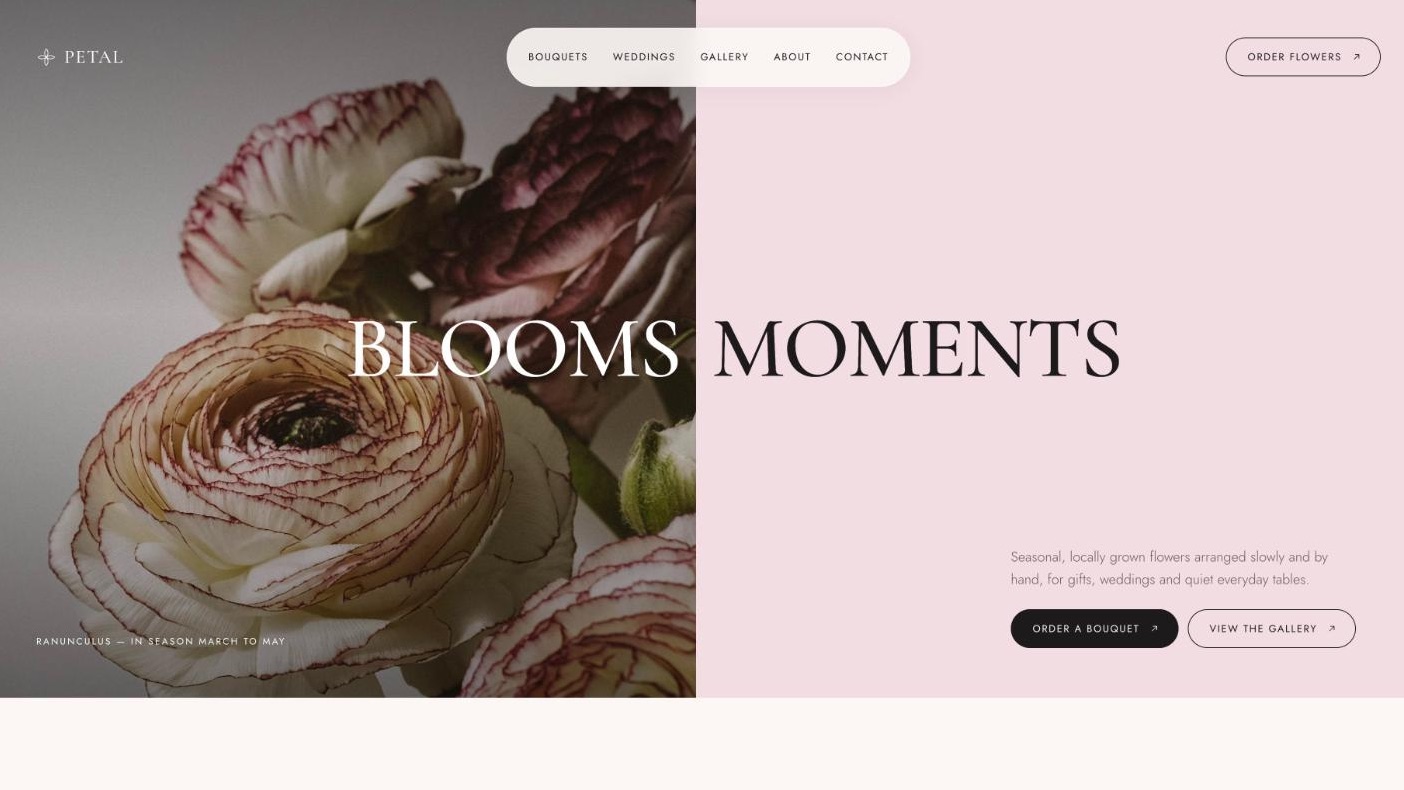
What Petal is
Petal is a website template for Framer, made for florist shops, flower studios and wedding floristry businesses. It is set in blush, paper and stem green, with room for big photographs of your work, and it is built to do two jobs: sell bouquets and book weddings.
It comes with 9 responsive pages, a shop for your arrangements, a Weddings & Events page that takes enquiries, a gallery and an enquiry form. You can try the live preview, or get Petal from the Framer Marketplace. At the time of writing it is free to remix there as a limited offer; the listing shows the current price.
Who it is for
I made it for florists whose work sells itself once it has been seen, and who take orders in more than one way.
- Independent florists. A shop of bouquets with sizes and prices, and your opening hours and address on the Contact page.
- Wedding and event florists. A page of its own for ceremony, reception and party flowers, with “from” prices and an enquiry in place of a checkout.
- Flower subscription businesses. Subscriptions sit in the shop as a category of their own, beside seasonal bunches and gifts.
- Flower studios. A gallery with a full-screen lightbox, for the work that is never the same twice.
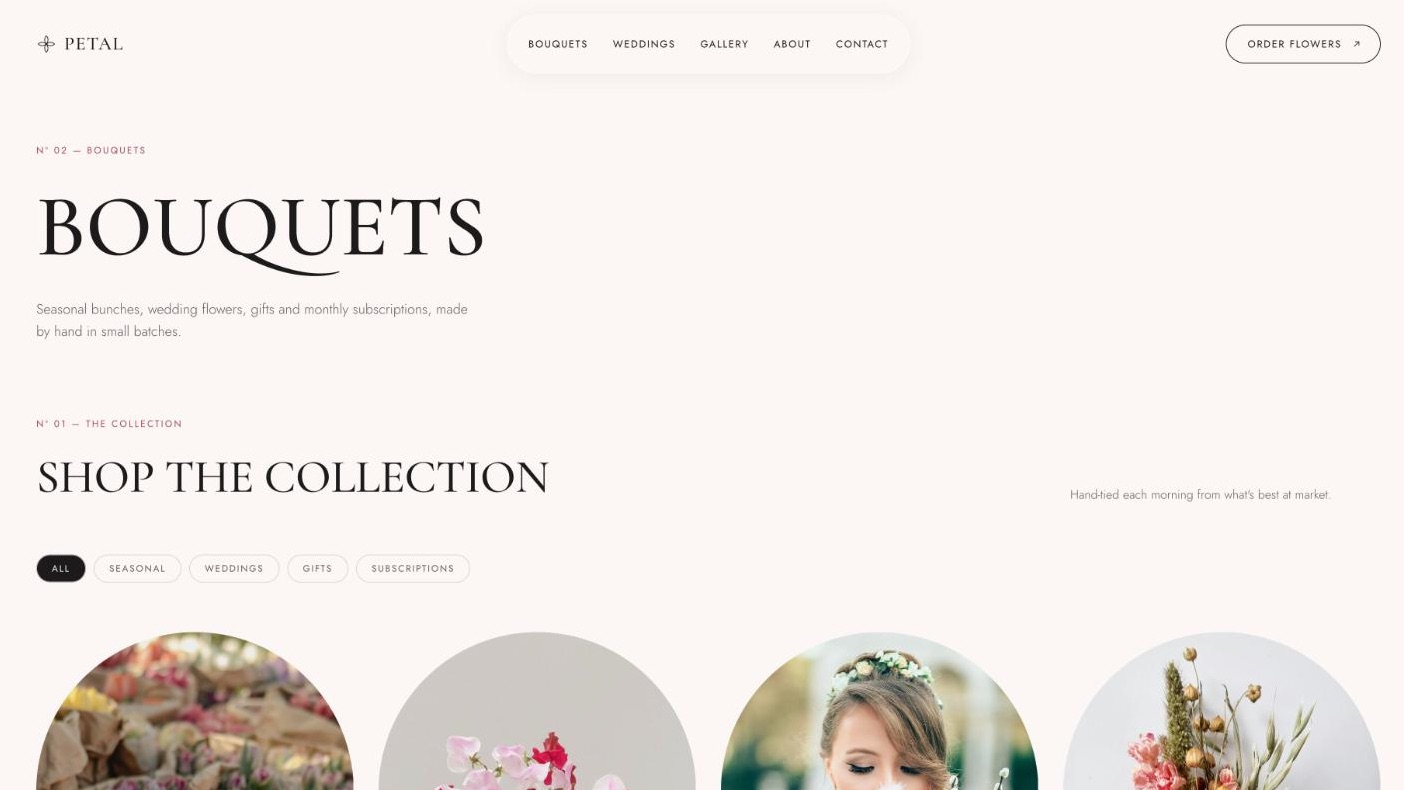
A shop that sells, or takes an enquiry
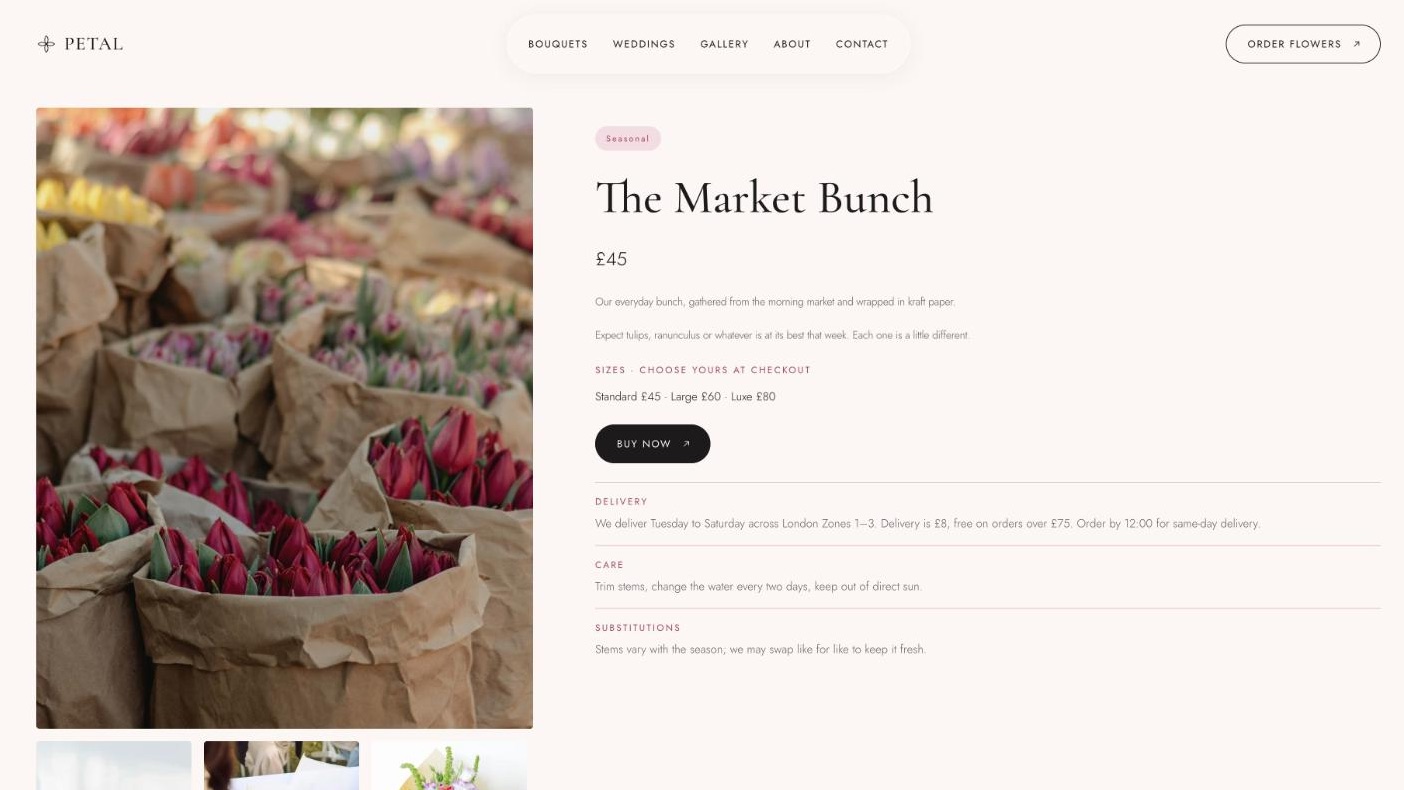
The Bouquets page is your shop, with filters for Seasonal, Weddings, Gifts and Subscriptions. Each bouquet has a page of its own with its sizes and prices, care notes and a “You may also like” row.
To sell a bouquet, paste your Shopify, Etsy or Stripe link into its Buy link. Leave that empty and the button switches to “Enquire to order” by itself. So the same shop works for the market bunch someone can buy today and the bridal bouquet that needs a conversation first.
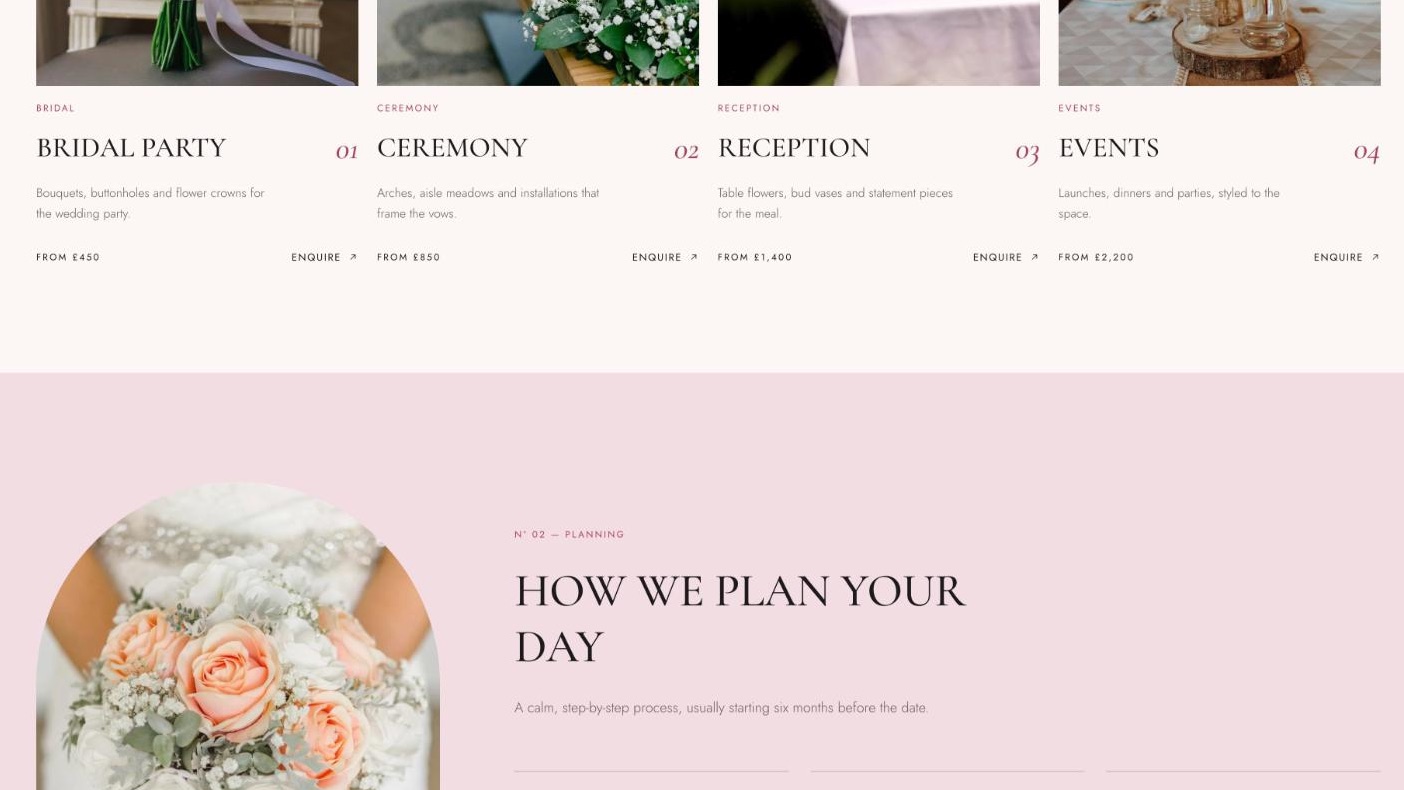
Weddings and events, by enquiry
Wedding flowers are quoted, not put in a basket, so the Weddings & Events page takes enquiries instead of payments. The preview sets out four services (bridal party, ceremony, reception and events), each with a “from” price and an Enquire link, followed by the steps of planning the day.
The enquiry form asks for a name, an email, the date, the venue and the type of enquiry. Add your email under Send to and each one comes straight to you.
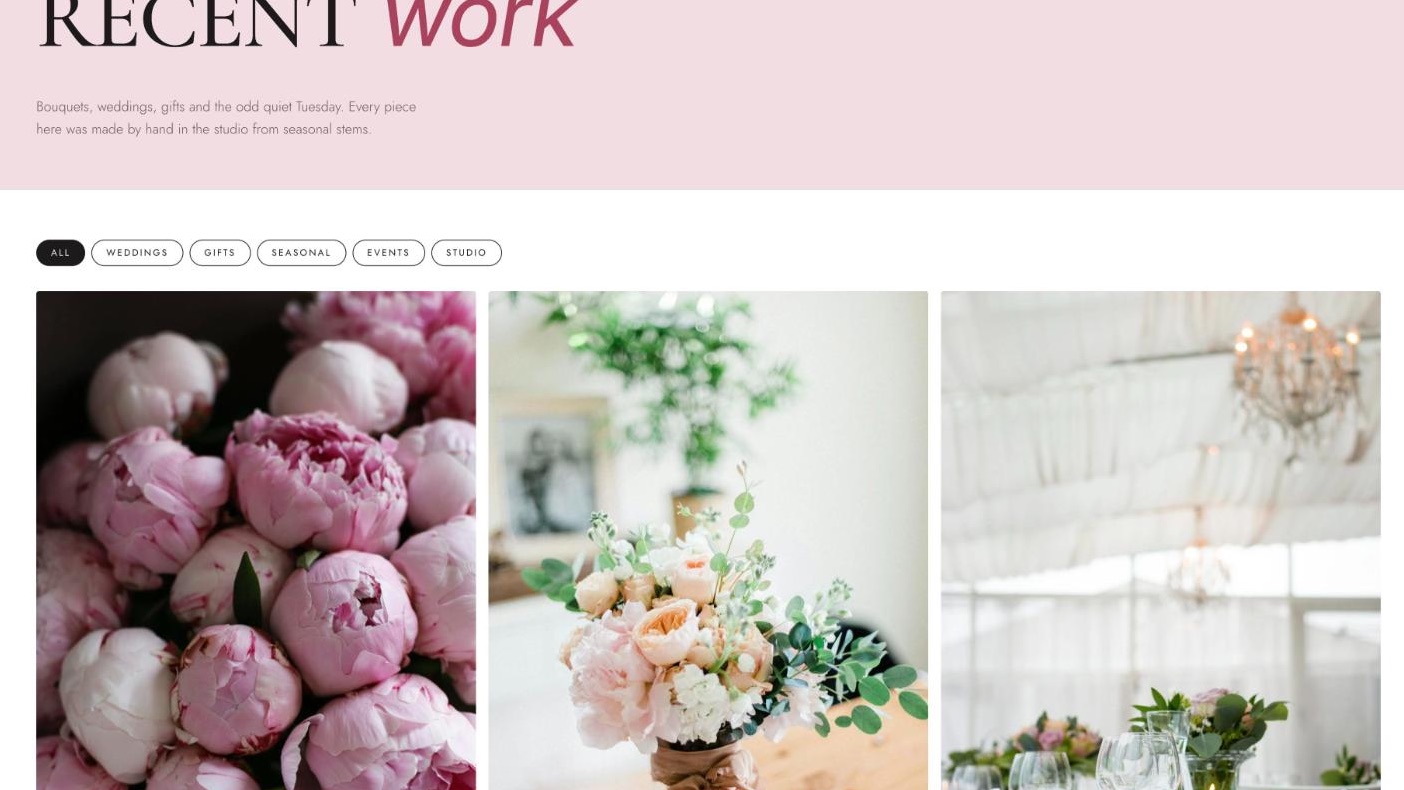
A gallery, a contact page and a newsletter
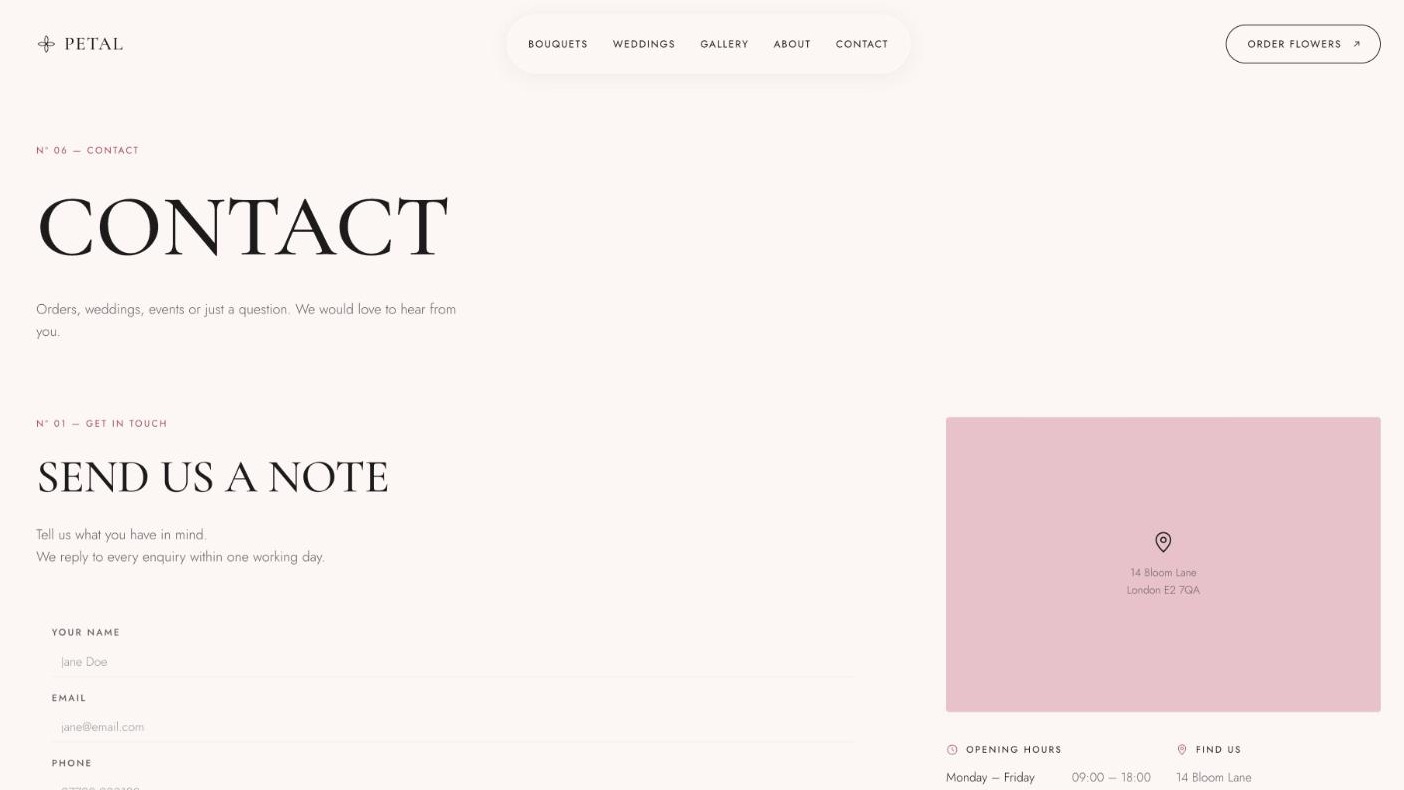
The Gallery filters your photographs (Weddings, Gifts, Seasonal, Events and Studio in the preview) and opens any of them full-screen. The Contact page has the enquiry form, your opening hours and where to find you. A newsletter sign-up sits in the footer.
There is an About page for your own story, a Privacy page and a 404, all in the same style.
The 9 pages
- Home. A split hero of photograph and colour, your collections and a way to order.
- Bouquets. The shop, filtered by Seasonal, Weddings, Gifts and Subscriptions.
- Product. One bouquet: sizes and prices, care notes and a “You may also like” row.
- Weddings & Events. Ceremony, reception and party flowers, by enquiry.
- Gallery. Filtered photographs with a full-screen lightbox.
- About. The studio’s own story.
- Contact. The enquiry form, your hours and your address.
- 404 and Privacy. Already there, in the same style.
How to make it yours
- Get your copy. Open Petal on the Framer Marketplace while logged in to Framer. A full copy goes straight into your account.
- Follow the Start here page. It is inside the template and walks you through setting it up.
- Set your colours, fonts and studio details once. They are used everywhere, so the whole site changes with them.
- Add your bouquets. A name, a photograph, sizes and prices, care notes, and a Buy link if it can be bought outright.
- Add your email under Send to. That is where the enquiry form delivers.
- Fill the gallery with your own work. It is what a couple will look at longest.
- Publish. Framer hosts the site; point your own domain at it when you are ready.
Why it looks the way it does
- The flowers do the talking. The home page opens on a photograph filling half the screen, and the pictures stay large all the way down.
- Blush, paper and stem green. Soft colours that sit behind any bouquet without arguing with it.
- Tall serif capitals. Headings like BLOOMS, MOMENTS and BOUQUETS, set the way a good wedding invitation is.
- Arches. Photographs are cropped under a rounded top, which gives the shop a shape of its own.
- Numbered like a lookbook. Each section carries a small “Nº 01” marker, so a long page reads in chapters.
Questions people ask
How much does Petal cost?
At the time of writing (November 2026) Petal is free to remix on the Framer Marketplace as a limited offer. The listing shows the current price.
Can I sell flowers online with Petal?
Yes. Paste your Shopify, Etsy or Stripe link into a bouquet’s Buy link and its button takes the customer there to pay.
What if a bouquet is made to order?
Leave its Buy link empty and the button switches to “Enquire to order” instead.
Does it work for wedding florists?
Yes. There is a Weddings & Events page for ceremony, reception and party flowers that takes enquiries instead of payments, and the enquiry form asks for the date and the venue.
Can I offer flower subscriptions?
Yes. Subscriptions are one of the shop’s categories, beside Seasonal, Weddings and Gifts.
Where do enquiries go?
To your own inbox. Add your email under Send to on the form and each enquiry is sent there.
Does it work on phones?
Yes. All 9 pages are responsive, from a phone to a wide desktop screen.
Which pages are included?
Nine: Home, Bouquets, Product, Weddings & Events, Gallery, About, Contact, 404 and Privacy.
Who made Petal?
Harry Ford, a web and product designer. It is published under Proof Templates, the name his Framer templates go out under.
More templates
Two more of mine, each for a different trade: Joinery, a free Framer template for builders, joiners and roofers, and Dicehold, a free Framer template for tabletop game shops.