Dicehold. A free Framer template for tabletop game shops, board game cafés and gaming clubs
What Dicehold is
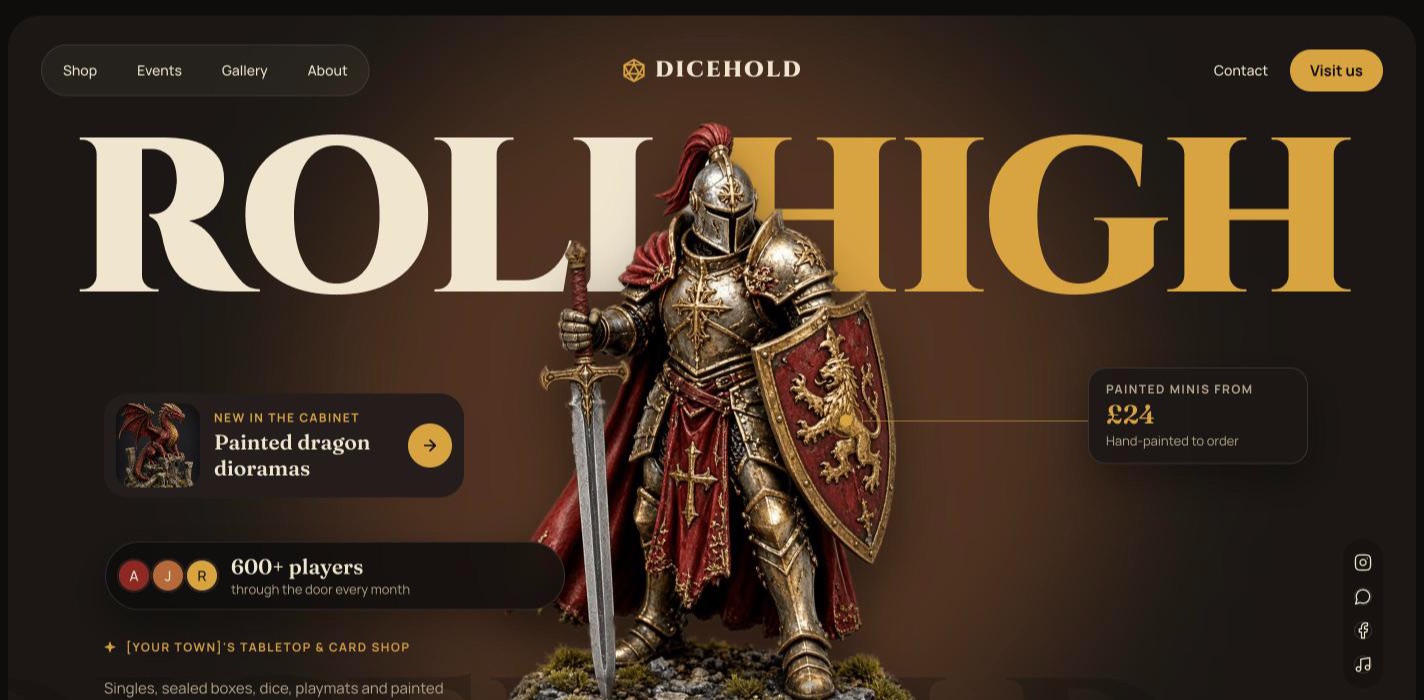
Dicehold is a free website template for Framer, made for tabletop game shops, board game cafés, miniature painting studios and gaming clubs. It is dark and candle-lit, with gold accents and fantasy art, so the site feels like a game night before anyone has walked through the door.
It comes with 13 responsive pages: a shop with product pages, events with RSVP links, a gallery, a contact form and a Visit page with your opening hours. You can try the live preview, or remix it free from the Framer Marketplace and have a full copy in your own Framer account.
Who it is for
I made it for the kind of place where people come to play as much as to buy. If that is your business, most of what you need is already laid out.
- Tabletop and card game shops. Singles, sealed product, dice, playmats and accessories, each with its price, stock and specs.
- Board game cafés. Opening hours, where to find you, and game nights people can book a seat at.
- Miniature painting studios. A gallery for finished work, and product pages for painted minis and commissions.
- D&D and RPG groups, and wargaming clubs. Events pages for campaigns, one-shots, drafts and tournaments.
- Hobby shops and tabletop event spaces. A site that looks like the hobby it serves, without starting from a blank page.

A shop you can run without setting up a checkout
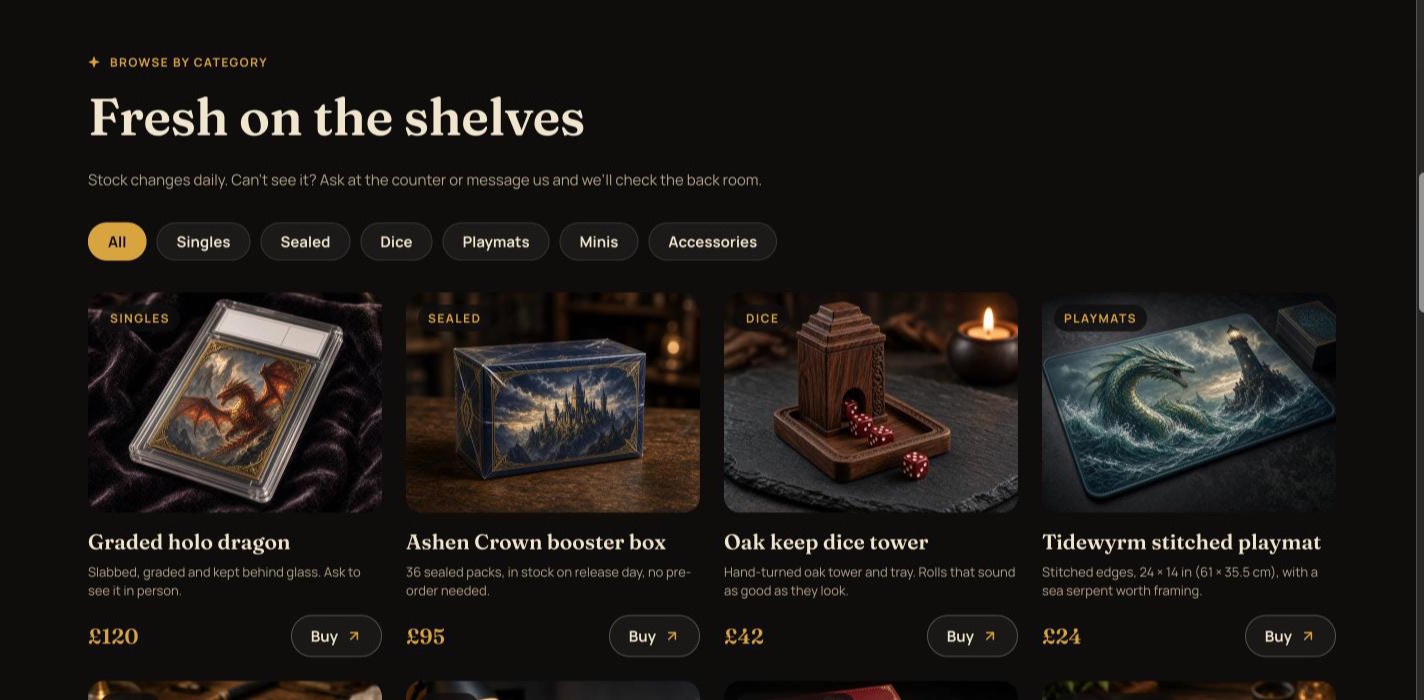
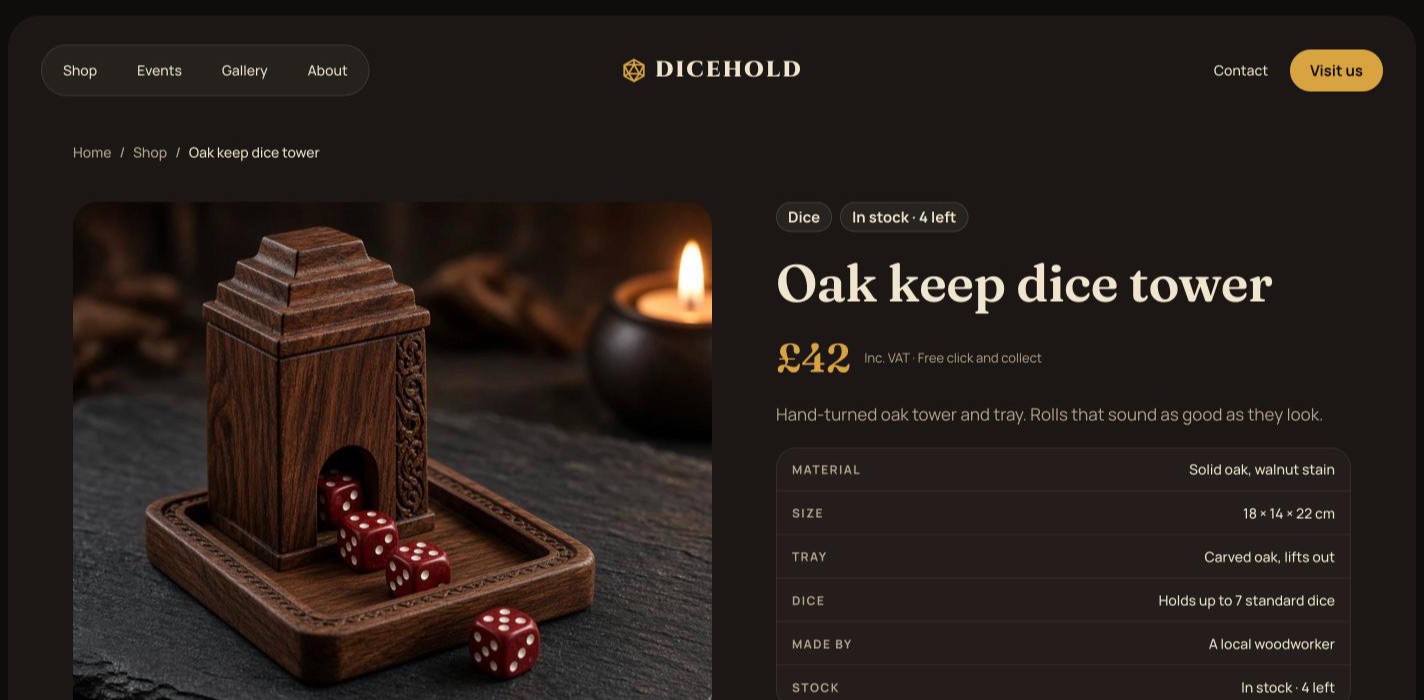
The Shop page lists your products under category filters. The preview has All, Singles, Sealed, Dice, Playmats, Minis and Accessories; they are yours to rename. Each product has a page of its own with its price, how many are in stock, a table of specs and a row of things the buyer might also like.
There is no basket or checkout built in. Instead, each product has a Buy button that goes to a payment link you paste in, so you can take payment however you already do: a Stripe payment link, say, or a listing on a marketplace you sell through. Nothing ties the site to one shop system.
Events and game nights, with RSVP links
The Events page lists what is coming up: the day and time, the kind of game, the level it suits, the price and how many seats are left. Every event has a page of its own and an RSVP link that goes wherever you take bookings. The preview points at Eventbrite; any booking link will do.
The next three events also show on the home page, so a regular can see this week’s tables without going looking for them. Game nights, tournaments, drafts and campaigns all use the same layout.

A gallery, a Visit page and a contact form
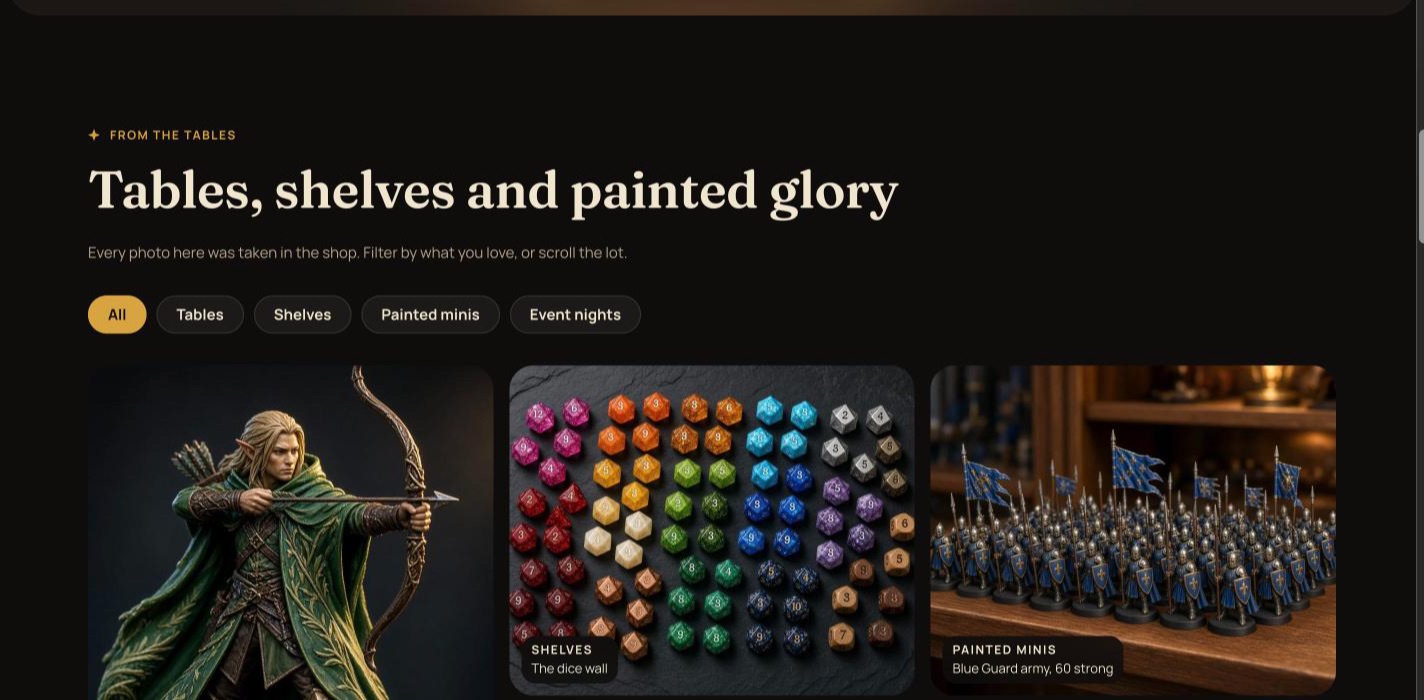
The Gallery shows photographs under filters of their own (Tables, Shelves, Painted minis and Event nights in the preview), and a tap on any of them opens it large. It is the place for painted armies, packed game nights and the shelves in between.
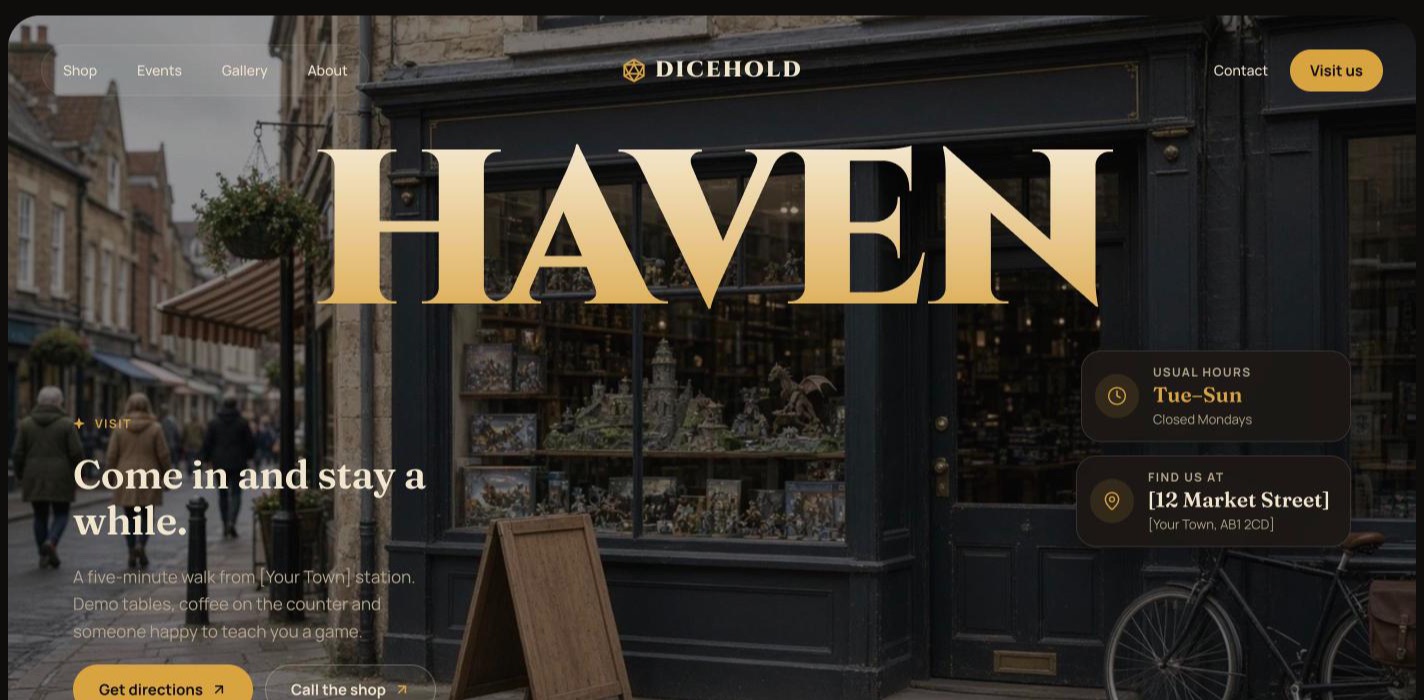
The Visit page has your address, your opening hours for each day of the week and a link for directions. There is a Contact page with a form, an About page, and the pages a shop needs but nobody enjoys writing: Terms, Privacy, Cookies and a 404.
The 13 pages
- Home. A hero that cycles through three figures, what is new, the next events and where to find you.
- Shop. Every product, filtered by category.
- Product. Price, stock, specs, a Buy button and a “You might also like” row.
- Gallery. Filtered photographs with a tap-to-open lightbox.
- Events. Upcoming game nights, tournaments and campaigns.
- Event detail. One event, with its RSVP link.
- Visit. Address, opening hours and directions.
- About. The shop’s own story.
- Contact. A form for getting in touch.
- 404, Terms, Privacy and Cookies. The four pages every site needs, already in the same style.
How to make it yours
- Remix it. Open Dicehold on the Framer Marketplace while logged in to Framer and choose Remix. A full copy goes straight into your account.
- Replace everything in [brackets]. Your town, address, phone number and email are marked in square brackets, so nothing of the placeholder shop gets left behind.
- Set your colours and fonts once. They are defined in one place, so a rebrand carries through all 13 pages.
- Add your products. A name, a price, a category, the stock, the specs and a payment link for each.
- Add your events. The date and time, the level, the price and an RSVP link.
- Swap in your own photographs. Your shelves, your tables and your painted work will do more than any stock picture.
- Publish. Framer hosts the site; point your own domain at it when you are ready.
Why it looks the way it does
- One word, very large. Each main page opens on a single word in a tall serif: ROLL HIGH on the home page, LOOT on the shop, QUESTS on events, GLORY on the gallery and HAVEN on the Visit page. It says what the page is for before anything has been read.
- Lit like a game night. Near black, a warm glow behind the picture, cream type, and gold kept for the things to press and the prices.
- Something to play with. The home page’s hero cycles through three painted figures, each with a hotspot that shows what it costs.
- The table before the catalogue. Events, the gallery and the Visit page get as much room as the shop, because the people round the table are why a game shop is more than a shop.
- Placeholders you cannot miss. Anything that is yours to fill in sits in square brackets, so it is plain what is sample text and what is not.
Questions people ask
Is Dicehold free?
Yes. Dicehold is free on the Framer Marketplace. Remix it while logged in to Framer and a full copy goes into your account.
What do I need to use it?
A Framer account. The template opens in Framer, where you change the words, pictures, colours and fonts, and publish the site. Framer’s own plans decide what it costs to put it on your own domain.
Can I sell products with Dicehold?
Yes. Each product has a Buy button that goes to a payment link you paste in. There is no basket or checkout built into the template, so you take payment through whichever service you already use.
Can people book a seat at my game nights?
Yes. Every event has an RSVP link, which goes to wherever you take bookings. The preview uses Eventbrite.
Does it work on phones?
Yes. All 13 pages are responsive, from a phone to a wide desktop screen.
Can I change the colours and fonts to match my shop?
Yes. The colours and fonts are set once and used everywhere, so changing them rebrands the whole site.
Is it only for shops?
No. It suits board game cafés, miniature painting studios, D&D and RPG groups, wargaming clubs, hobby shops and tabletop event spaces as well as game stores.
Which pages are included?
Thirteen: Home, Shop, Product, Gallery, Events, Event detail, Visit, About, Contact, 404, Terms, Privacy and Cookies.
Who made Dicehold?
Harry Ford, a web and product designer. It is published under Proof Templates, the name his Framer templates go out under.
More templates
Two more of mine, each for a different trade: Joinery, a free Framer template for builders, joiners and roofers, and Petal, a Framer template for florists and wedding flower studios.