Joinery. A free Framer template for builders, joiners, roofers and renovation firms
What Joinery is
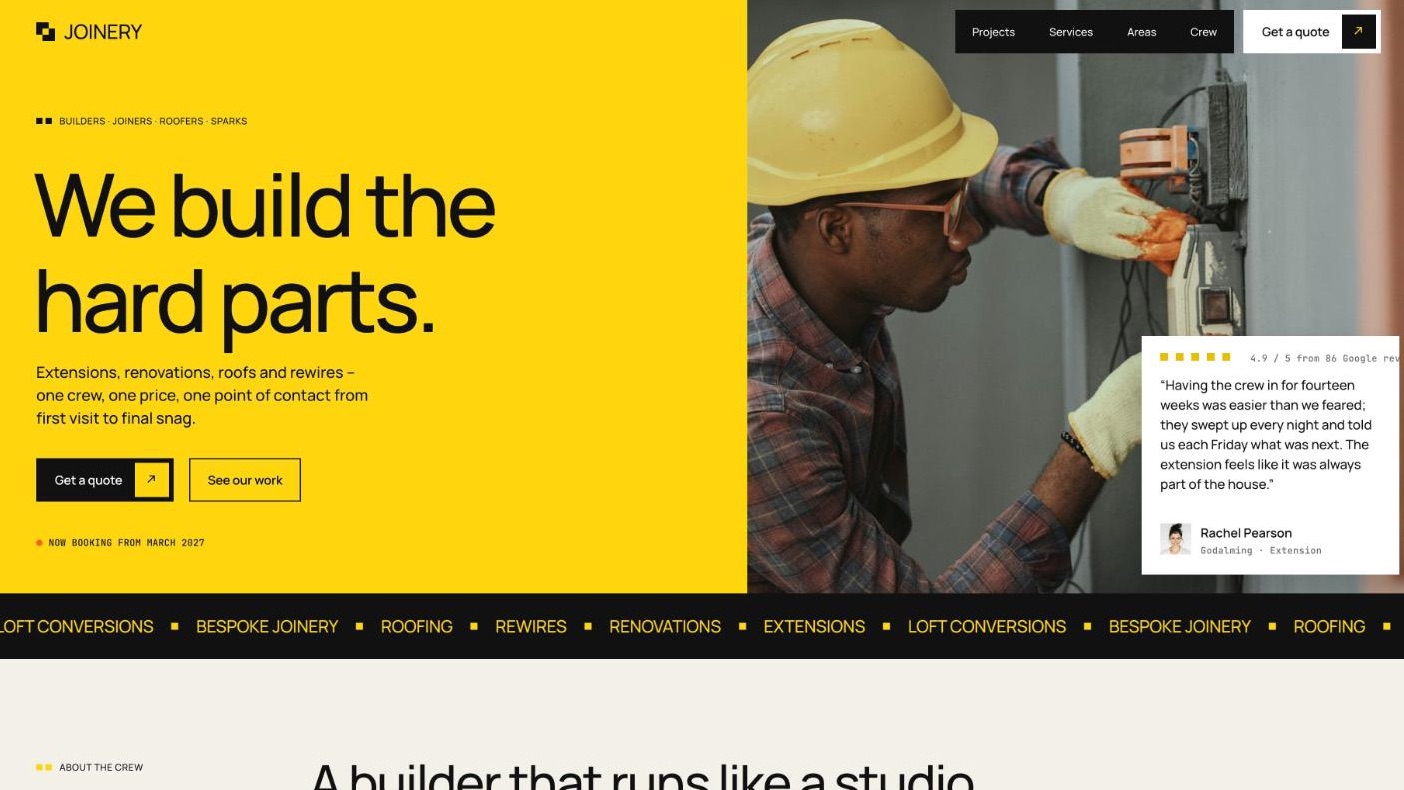
Joinery is a free website template for Framer, made for building, joinery, roofing and renovation firms. It is hi-vis yellow on cream and charcoal, with big confident type and a ticker of services, so the business looks like a crew that turns up on time.
It comes with 12 responsive pages: services, case studies of finished jobs, a page for every town you cover, the crew, and a quote form that sends enquiries straight to your inbox. You can try the live preview, or remix it free from the Framer Marketplace and have a full copy in your own Framer account.
Who it is for
I made it for trades that win work by showing what they have built and by being easy to ask for a price.
- Builders and multi-trade firms. Extensions, renovations, roofs and rewires under one name, each service on its own section.
- Joinery workshops. Kitchens, wardrobes and fitted work, shown as case studies with the timber, the timescale and the budget band.
- Extension and loft specialists. Before and after photographs, and a quote form that asks the questions you would ask on the phone.
- Roofers and other single trades. A page for each town you cover, so someone searching for a roofer near them lands on a page about their own area.
A quote form that does the first phone call for you
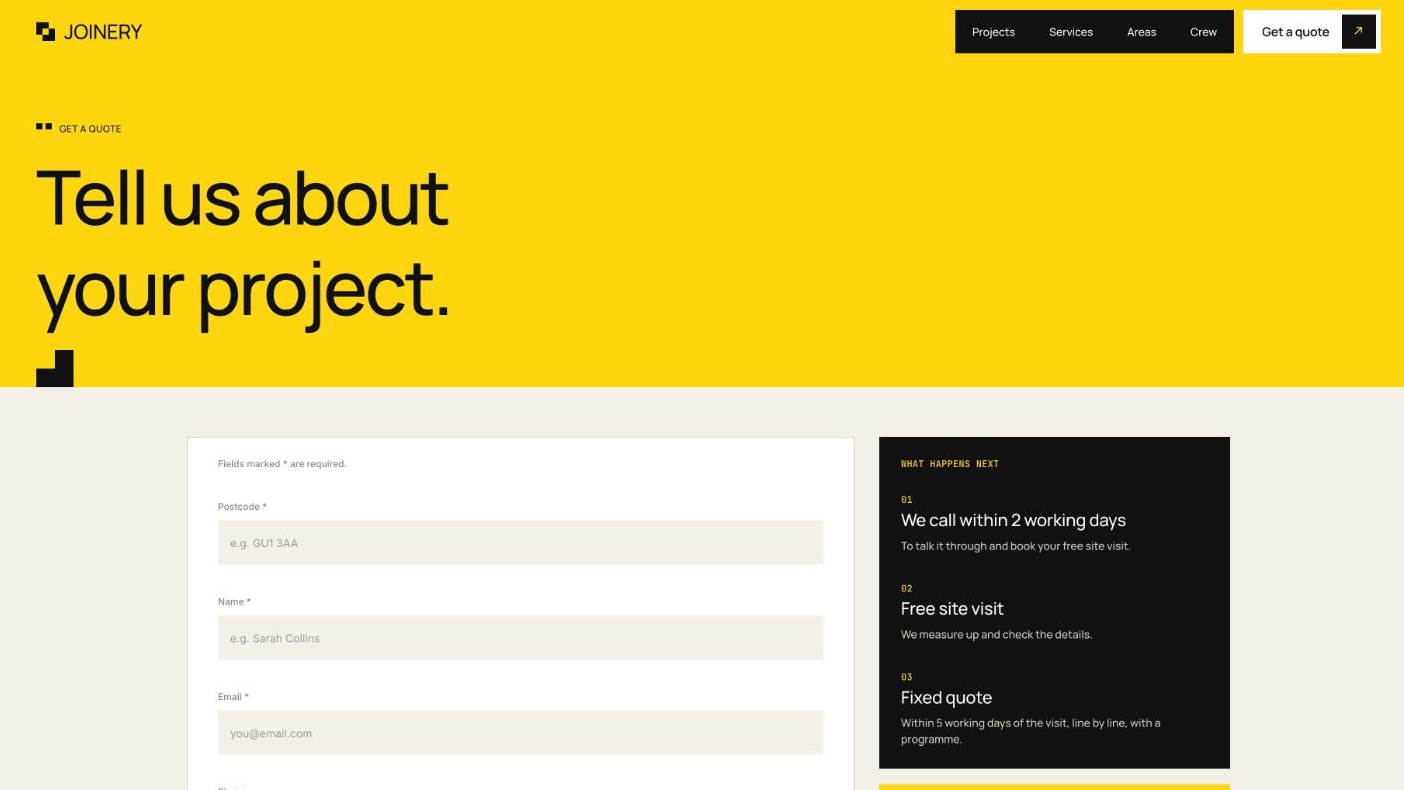
The home page starts a quote in two short steps, then carries the customer’s answers into the full Get a quote form, so nobody is asked the same thing twice. The form asks for the type of project, its scope, a rough budget, when they want to start, their postcode and a short brief.
Add your email under Send to and each enquiry comes straight to you. Beside the form, a “What happens next” panel sets out the steps after it is sent: in the preview, a call within two working days, a free site visit and a fixed quote. It is yours to rewrite to match how you work.
Case studies of the jobs you have finished
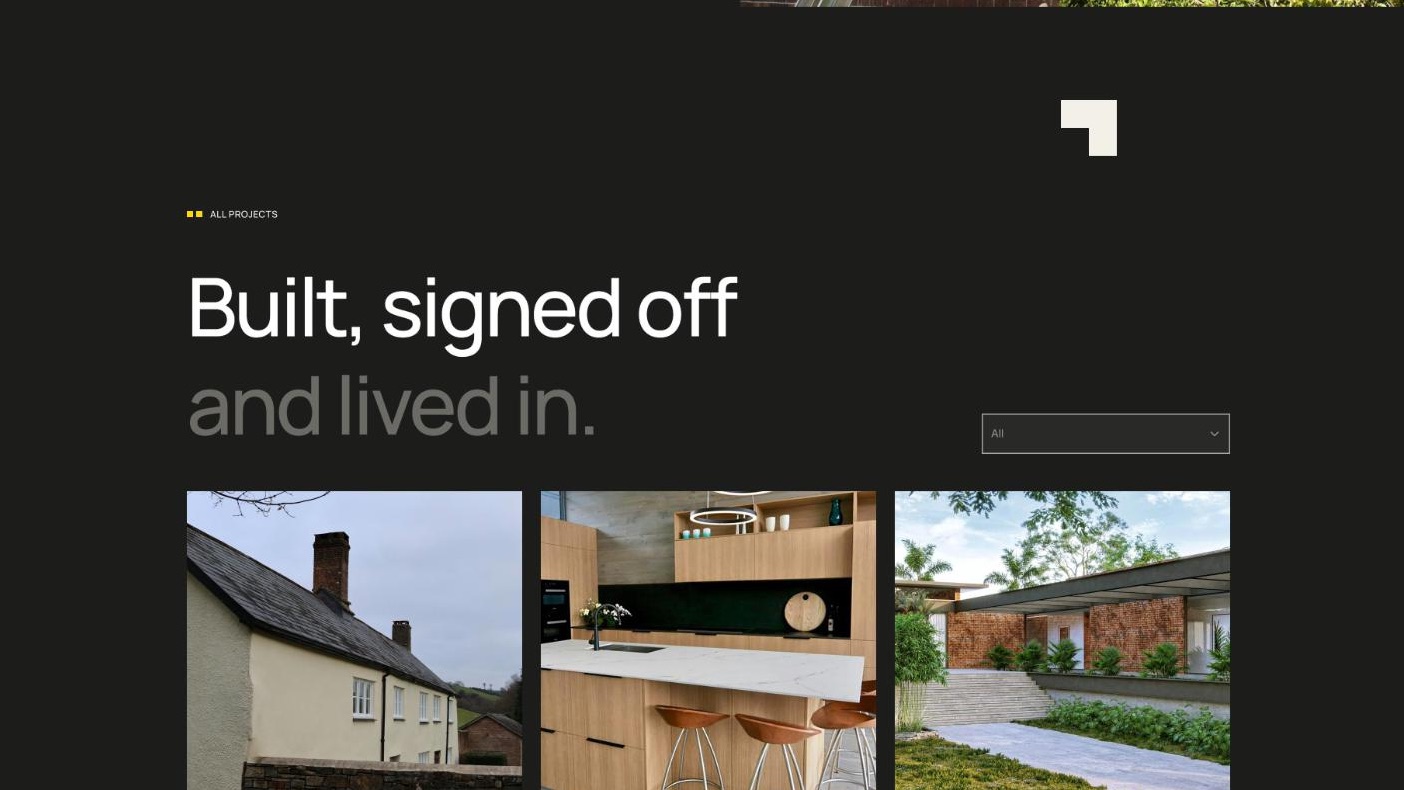
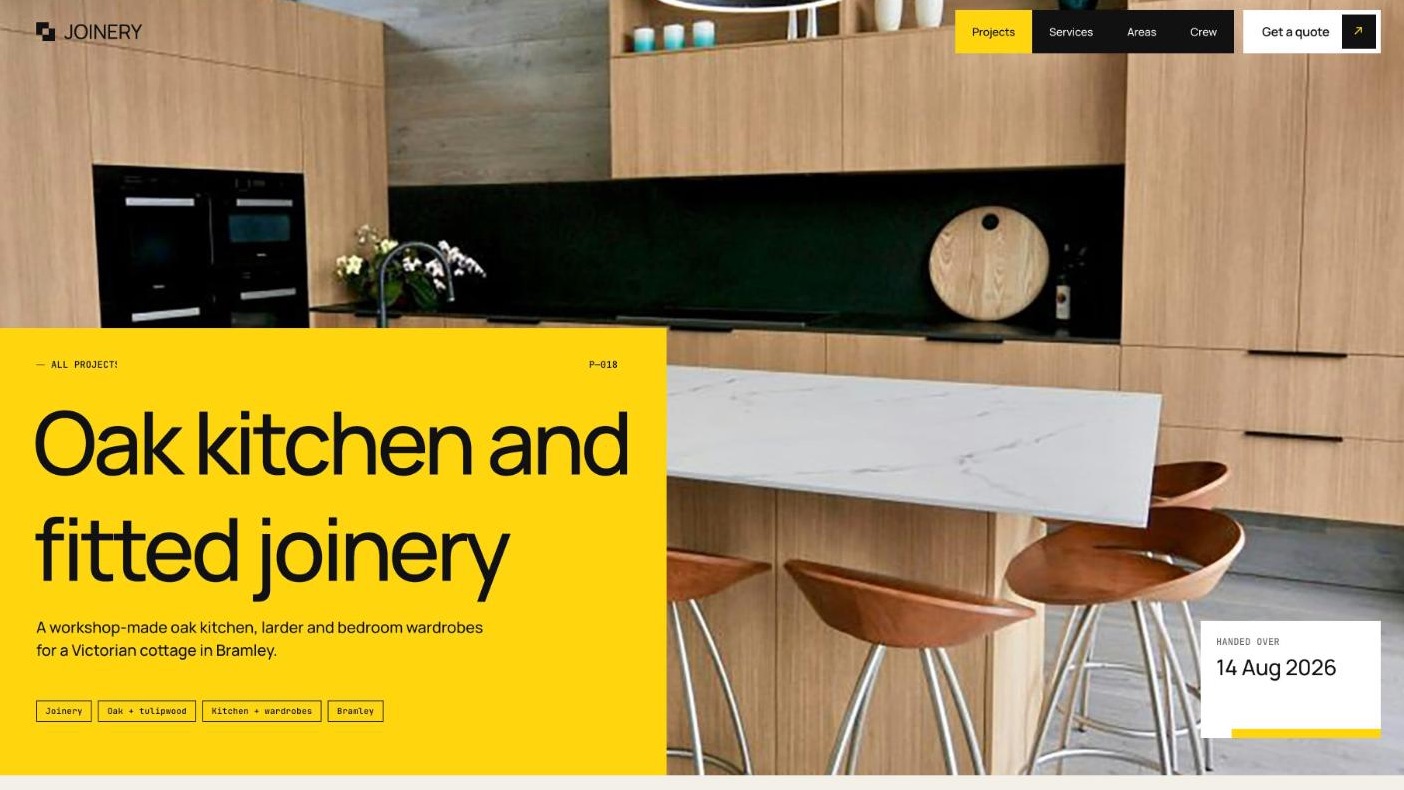
The Projects page lists your jobs under a filter by type. The preview has Extension, Loft, New build, Renovation, Joinery, and Roofing and rewires. Each job has a page of its own with before and after photographs, a gallery, the brief, a quote from the client and a link on to the next job.
The preview’s case studies also give the facts a customer weighs up before they ring: where it was, how many weeks on site, the budget band and how many trades were on the job.
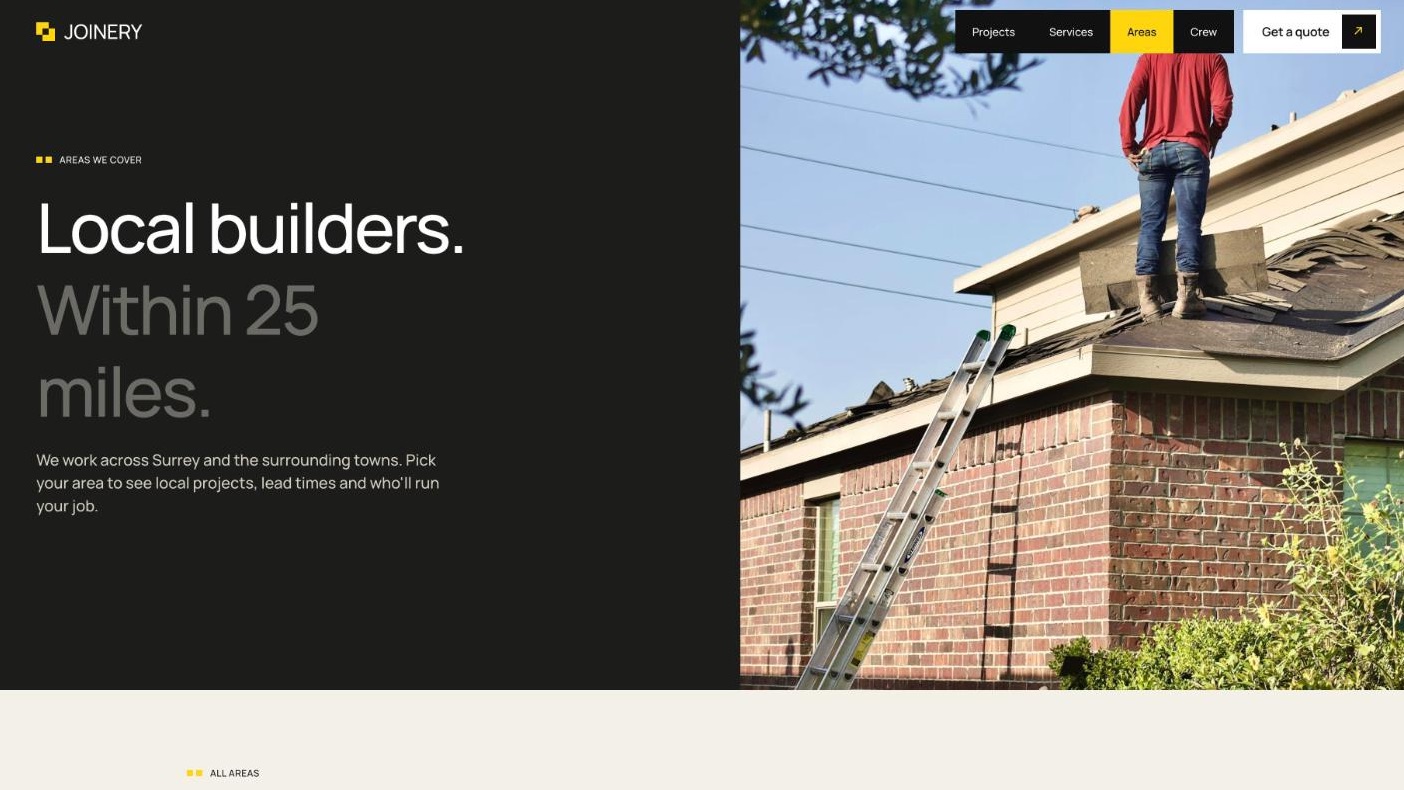
A page for every town you cover
Most people look for a tradesperson by place: a builder in their town, a roofer near them. So the Areas page lists the towns you work in, and each town has a page of its own. The preview has twelve, each with how many projects you have done there and how many miles away it is.
That gives every area a page that can be found in a local search, and gives the customer proof you have worked on their kind of street.
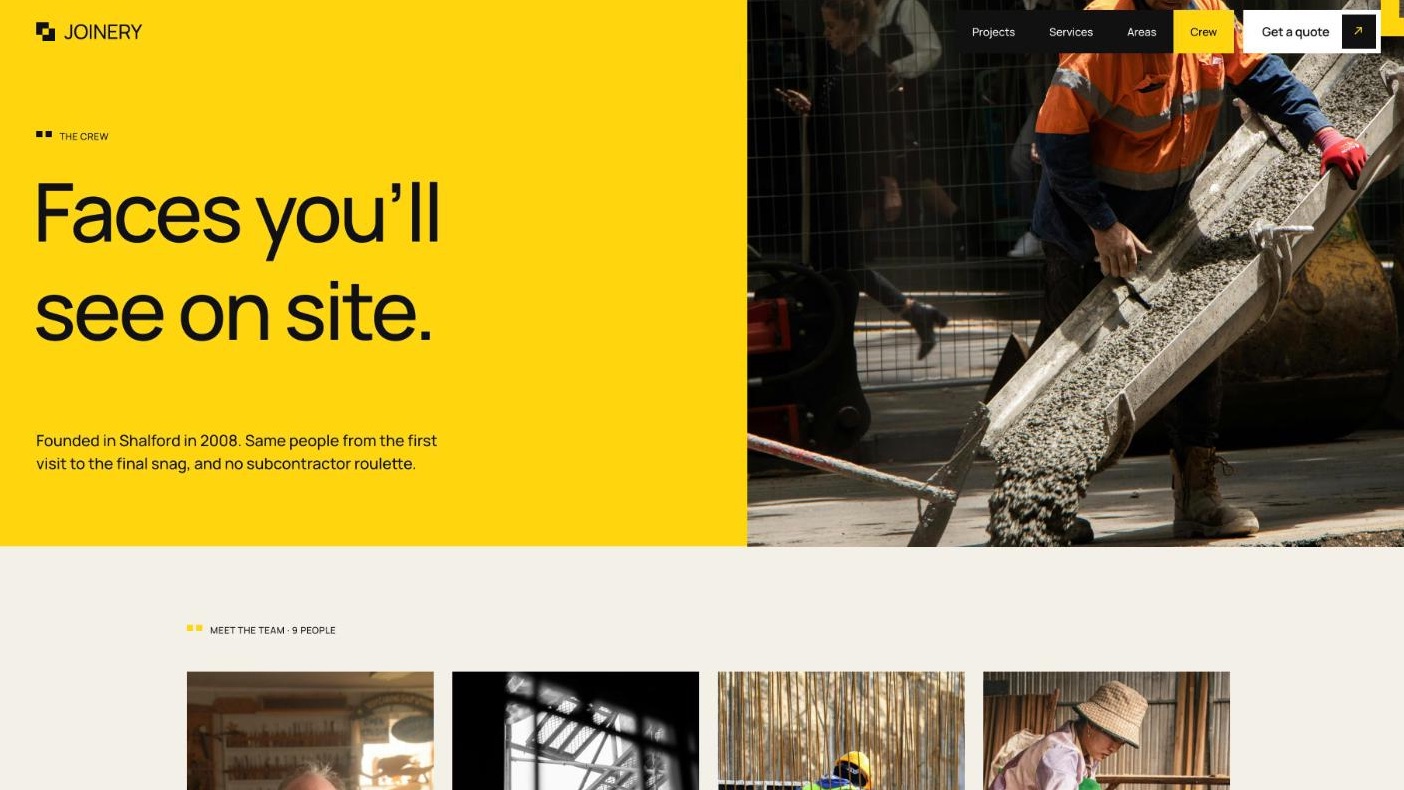
The crew, the services and the small print
The Crew page shows who will be on site, with room for your accreditations and for any roles you are hiring for. The Services page sets out each kind of work you take on. Terms, Privacy, Cookies and a 404 page are already there in the same style.
The 12 pages
- Home. What you do, a two-step start to a quote, reviews and recent work.
- Services. Each kind of work you take on.
- Projects. Your finished jobs, filtered by type.
- Project detail. One job: before and after, a gallery, the client’s words and the next job.
- Areas. Every town you cover.
- Area detail. One town, for customers searching locally.
- Crew. Your team, your accreditations and any open roles.
- Get a quote. The full enquiry form.
- 404, Terms, Privacy and Cookies. The four pages every site needs.
How to make it yours
- Remix it. Open Joinery on the Framer Marketplace while logged in to Framer and choose Remix. A full copy goes straight into your account.
- Read the Start here page. It is inside the template and tells you exactly what to change before you launch.
- Set your colours, fonts and company details once. They are used everywhere, so the whole site changes with them.
- Add your email under Send to. That is where the quote form delivers its enquiries.
- Add your jobs, your towns and your crew. Three or four good case studies are worth more than twenty thin ones.
- Publish. Framer hosts the site; point your own domain at it when you are ready.
Why it looks the way it does
- Hi-vis yellow. The colour of the jacket and the site sign, used in big flat blocks against charcoal and cream. Nobody mistakes it for an accountant’s website.
- Type you can read from the road. Short, plain headlines set very large: “We build the hard parts.”, “Faces you’ll see on site.”
- The quote comes first. A Get a quote button sits in the corner of every page, and the home page starts the form itself.
- Labelled like a drawing. Jobs and areas carry small reference numbers in a typewriter face, the way a set of plans does.
- Proof before promises. Reviews, finished jobs and real names take up the room a slogan would.
Questions people ask
Is Joinery free?
Yes. Joinery is free on the Framer Marketplace. Remix it while logged in to Framer and a full copy goes into your account.
What trades is it for?
Building, joinery, roofing and renovation firms: multi-trade firms, joinery workshops, and extension and loft specialists.
Where do quote requests go?
To your own inbox. Add your email under Send to on the form and every enquiry is sent there.
What does the quote form ask?
The type of project, its scope, a rough budget, when the customer wants to start, their postcode and a short brief, along with their name and how to reach them.
Can I have a page for each town I work in?
Yes. The Areas page lists the towns you cover and each one has a page of its own, so local customers can find you.
Can I show before and after photos?
Yes. Each case study has before and after photographs, a gallery, a quote from the client and a link to the next job.
Does it work on phones?
Yes. All 12 pages are responsive, from a phone to a wide desktop screen.
Which pages are included?
Twelve: Home, Services, Projects, Project detail, Areas, Area detail, Crew, Get a quote, 404, Terms, Privacy and Cookies.
Who made Joinery?
Harry Ford, a web and product designer. It is published under Proof Templates, the name his Framer templates go out under.
More templates
Two more of mine, each for a different trade: Petal, a Framer template for florists and wedding flower studios, and Dicehold, a free Framer template for tabletop game shops.